Tangible Interaction · IXD 330 · Team of four
NextFix
Car repair guidance for everyone. A plug-in OBD2 device reads the fault code; the app turns it into plain language, then into step-by-step repairs and real savings.
- May 9First clickable prototype built from the user flow
- May 13Flow-accurate prototype with the full path, 15 screens
- May 14Five-minute usability test written
- May 19Prototype refined from the interview findings
- May 20Light mode, WCAG AA fixes and micro-interactions
- May 23Persistent nav with Learn, Monitor, ENZO and Settings
- June 4Final presentation
01 · Problem
No more gatekeeping.
For car-dependent adults who can't afford to get it wrong, every shop visit feels like a negotiation. NextFix is positioned as a repair navigation tool: approachable, non-judgmental, and built for a culture where car knowledge is rarely shared.
2 in 3
Drivers
don't trust repair shops (AAA, 2016)
38%
Of income
goes to transportation for low-income families (BTS, 2022)
78%
Of commuters
drive in LA County (2018)
User tester, Julian
“I can't afford to not have a car. So I just paid for what [the mechanic] told me.”
02 · Research
Three reasons people don't DIY.
- Decoding car lingo
- Fault codes and shop talk are written for mechanics, not drivers.
- Unsure when to verify
- People can't tell when to get a second opinion, so they accept the first quote.
- Information overload
- Forums and videos offer everything at once, with no sense of which fix applies.
- Persona
- Riley Montes, 22, a college student in Los Angeles who depends on her car and can't afford a wrong call.
- Competitors
- Fixd, RepairPal, AAA and your own mechanic, compared on plain language, in-the-moment support, confidence and cost. NextFix is built to cover all four.
03 · Physical + digital
A plug-in device starts the conversation.
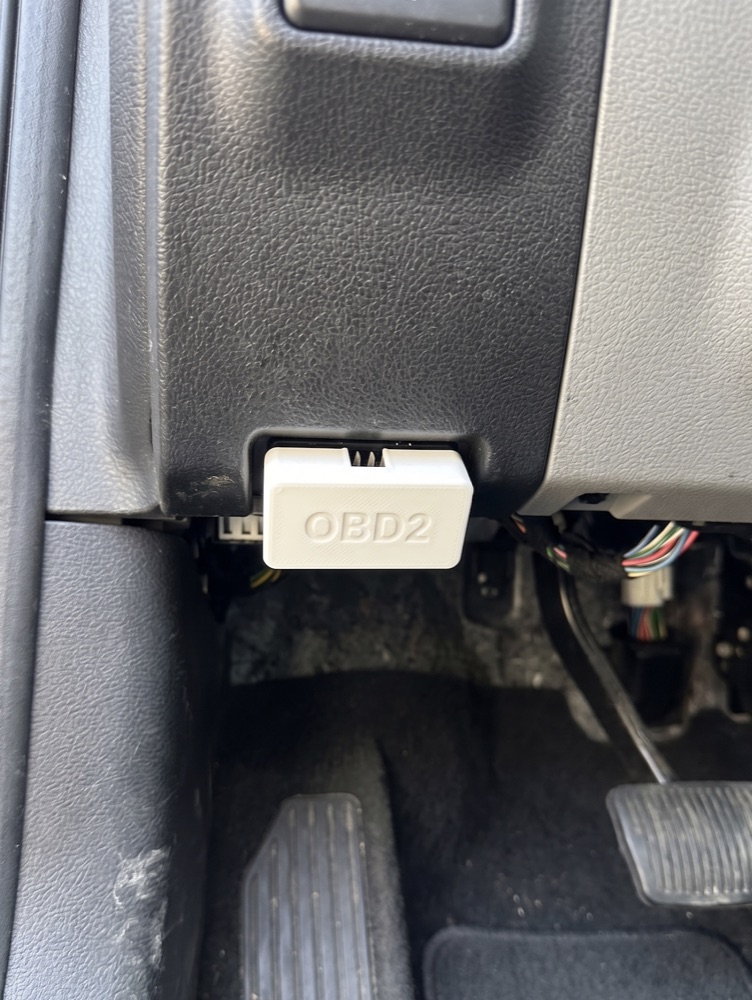
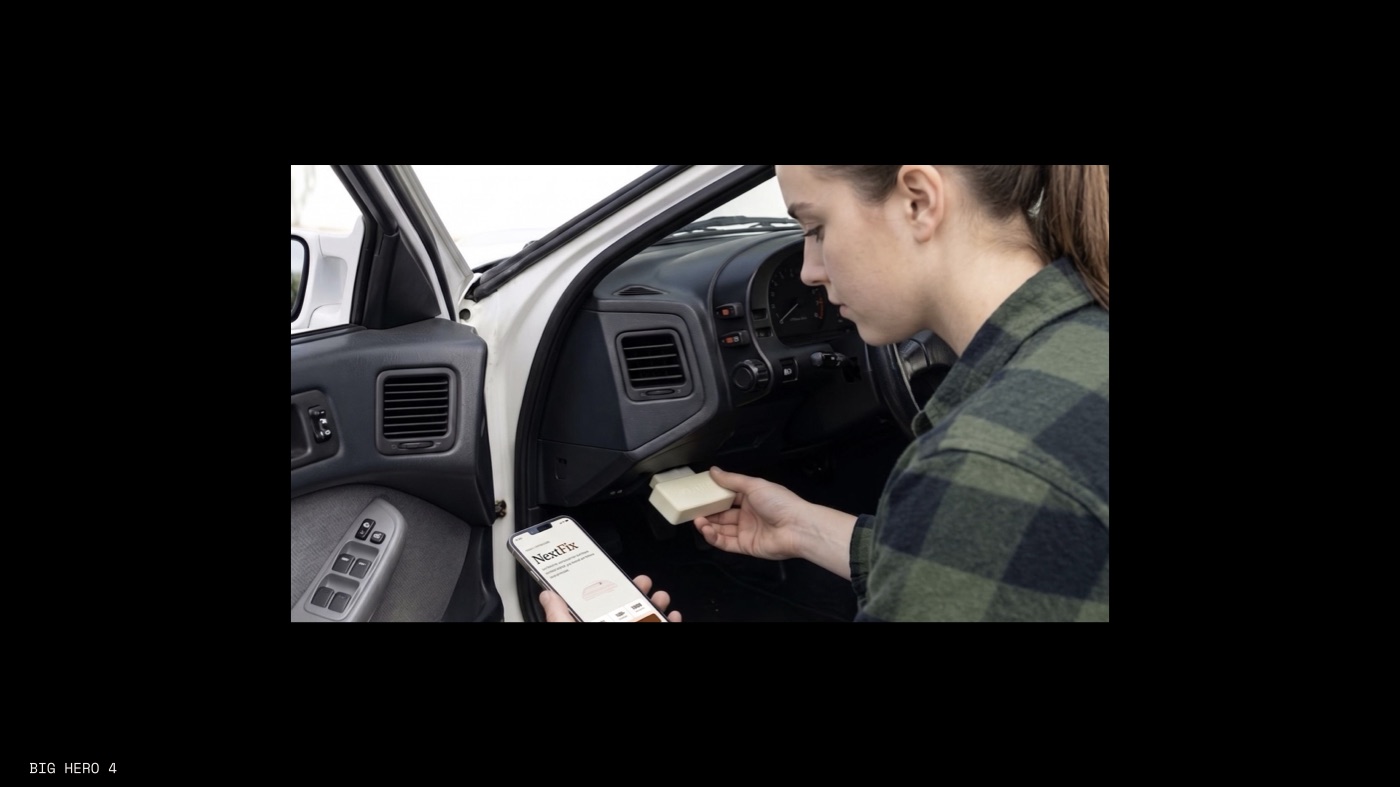
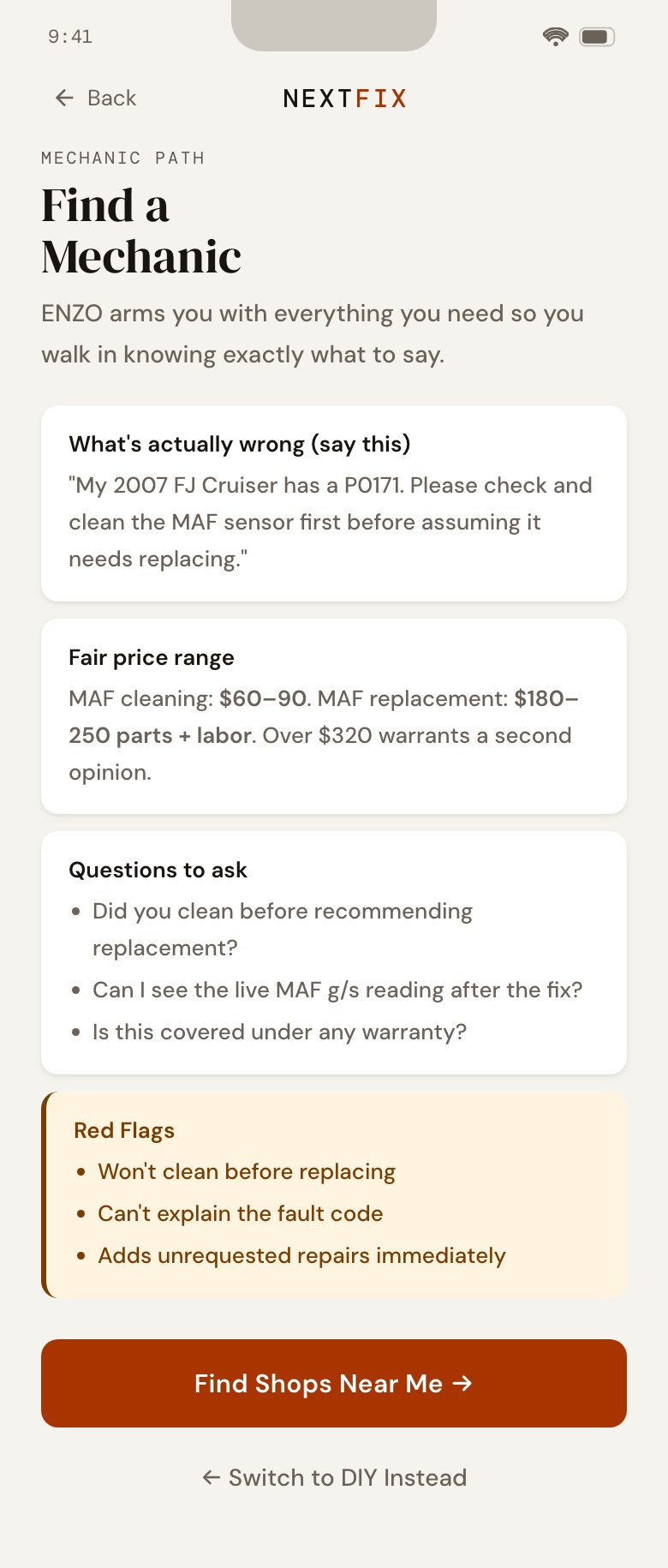
A 3D-printed OBD2 dongle plugs into the car's diagnostic port. The app then names the issue in plain language, asks a few questions, shows the likely cause and offers two paths: I'll fix it myself (about $9–45, ~45 min, easy) or find a mechanic, with the full diagnosis sent ahead so you know what to ask.
04 · The app
ENZO turns a code into a repair.
ENZO is the diagnostic assistant at the center of the app. It translates mechanical data into steps a non-expert can do, in a supportive, technical and safety-first voice. Its work runs in three phases, and every answer is specific to the car in the driveway, not generic advice.
Assess
What the code means for this exact vehicle, the three most likely causes, and a DIY difficulty rating.
Parts & tools
A shopping list sized for a phone screen, with the specific tools needed, like a 10 mm socket.
Repair guide
One step at a time, with where the part sits, torque specs and a safety warning before anything involving fuel or electrics.
Verify
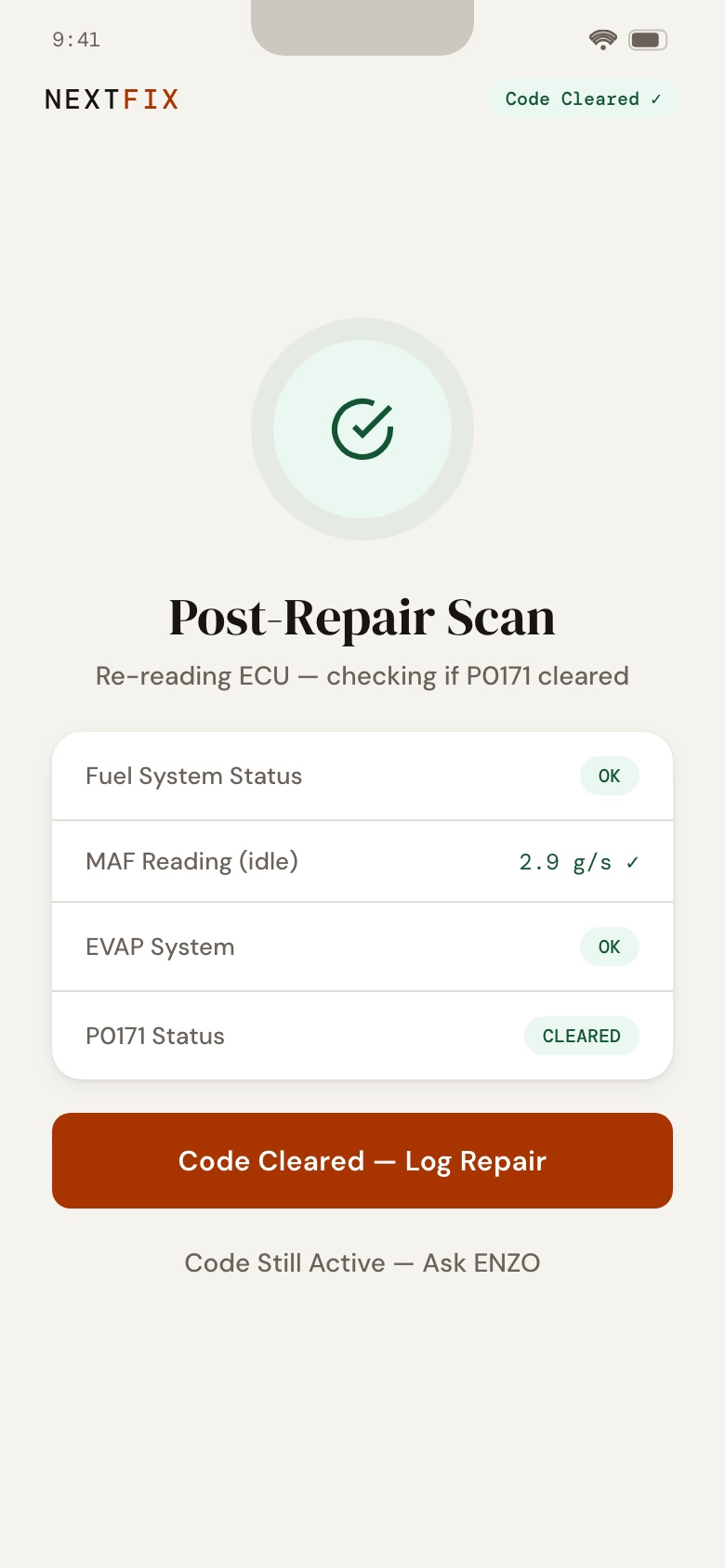
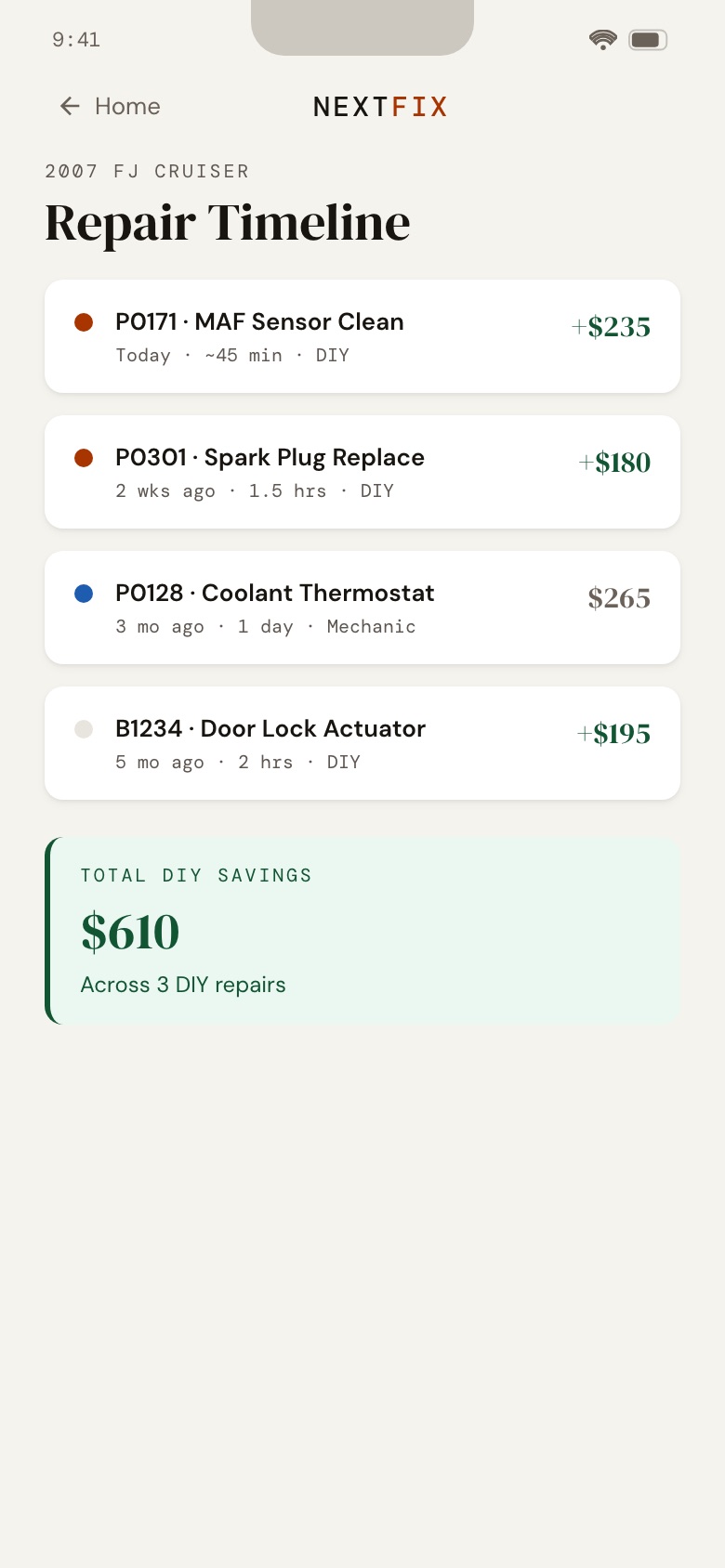
A post-repair scan re-reads the car to confirm the code is cleared, then logs the fix to the timeline.
- Plain first
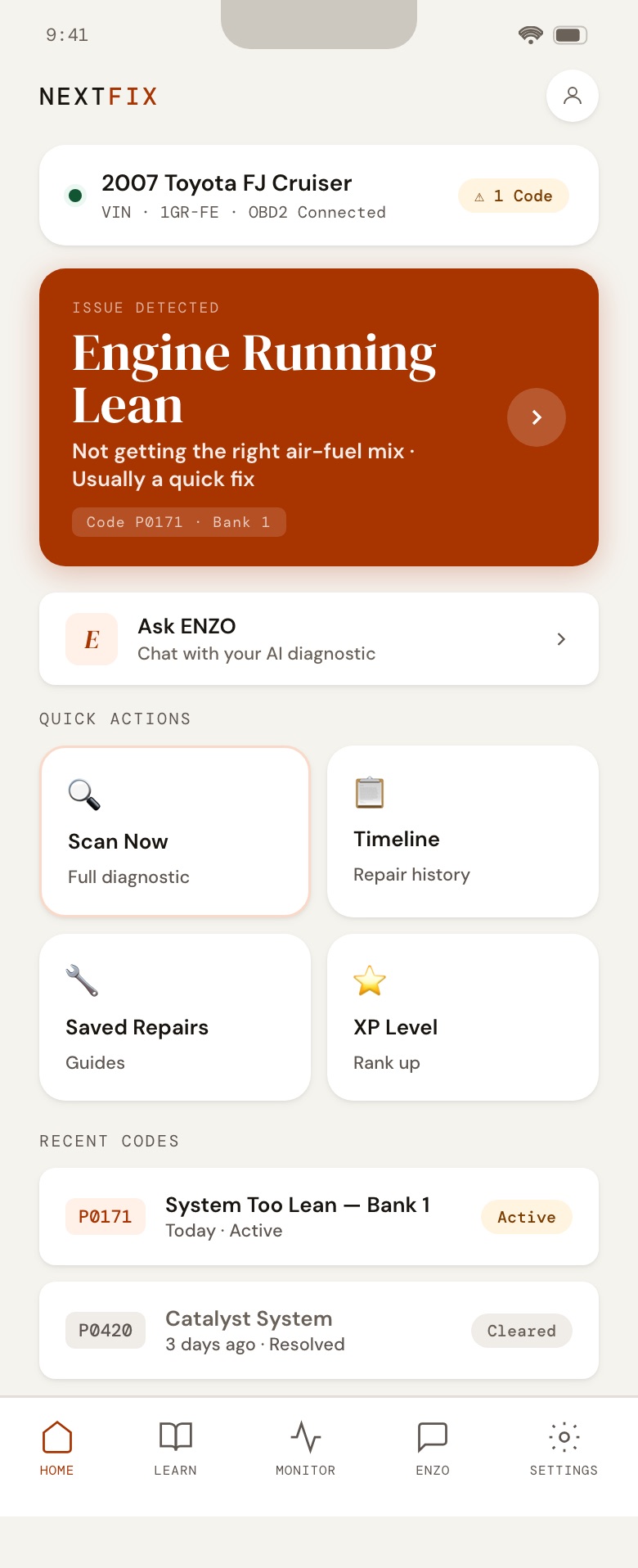
- The home alert reads “Engine Running Lean”; the code (P0171) stays in the later screens.
- Gatekeeping
- ENZO won't show step 2 until you confirm step 1.
- Honest
- When it has no data for a vehicle, it says it is using general best practice for that engine.
- Safety
- A mandatory safety warning before any step with fuel, electrics or heavy lifting.
Home
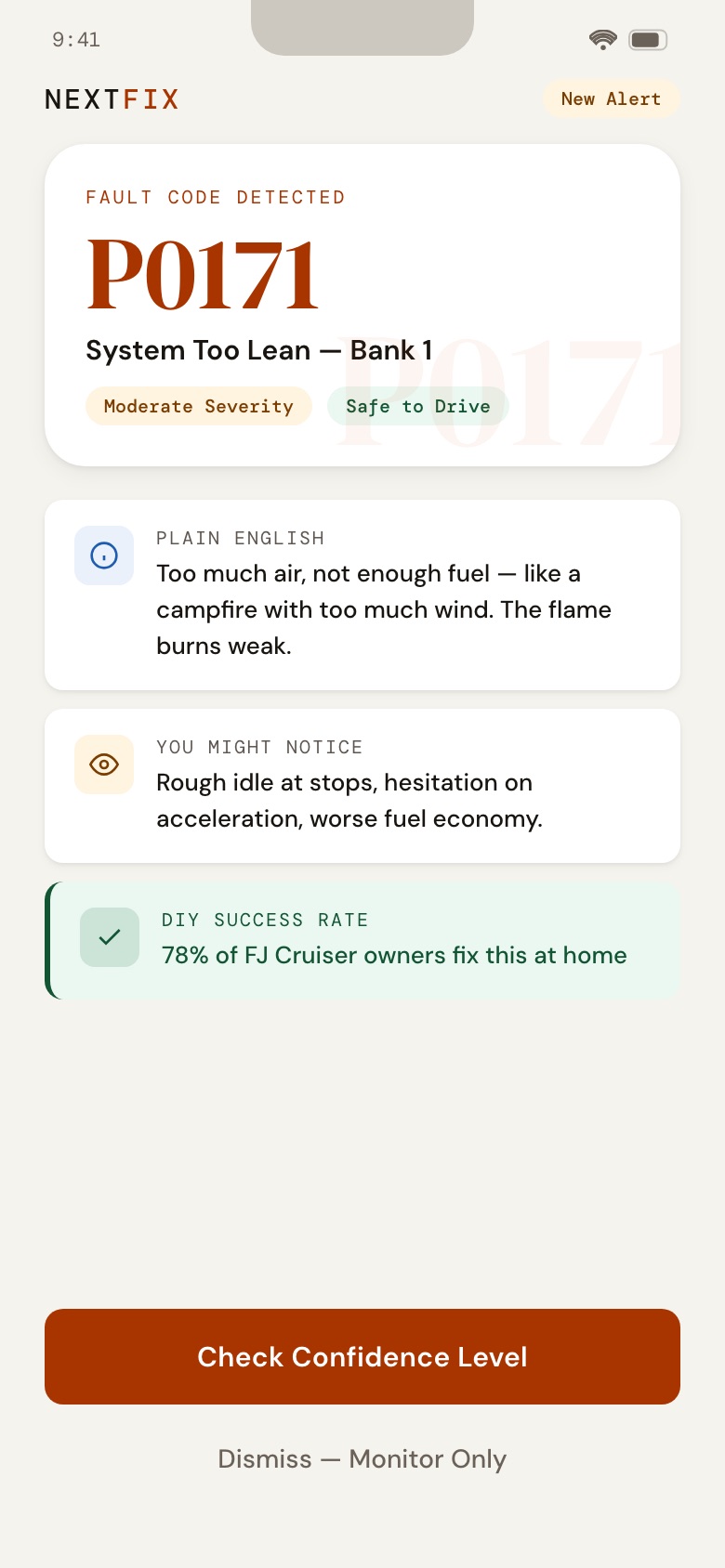
Issue detected
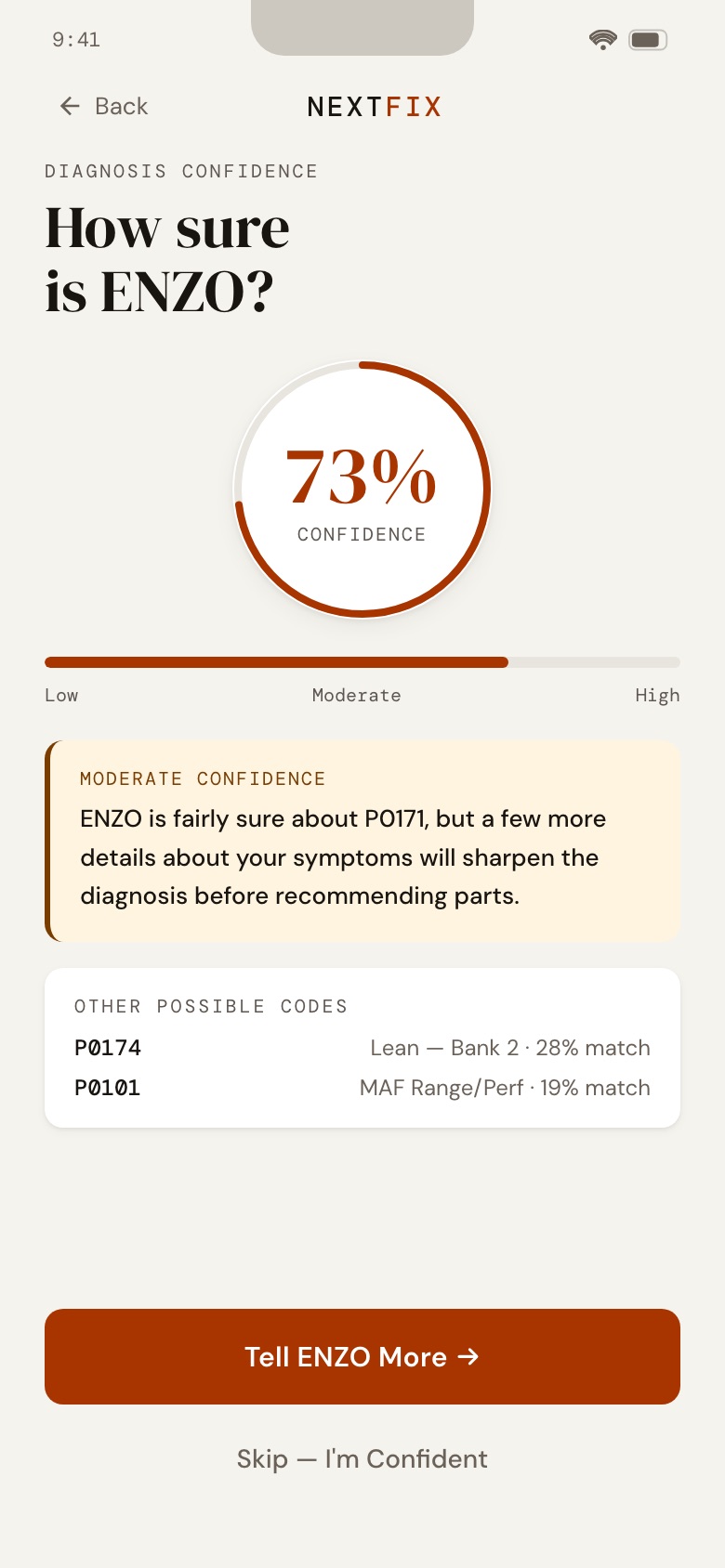
Confidence
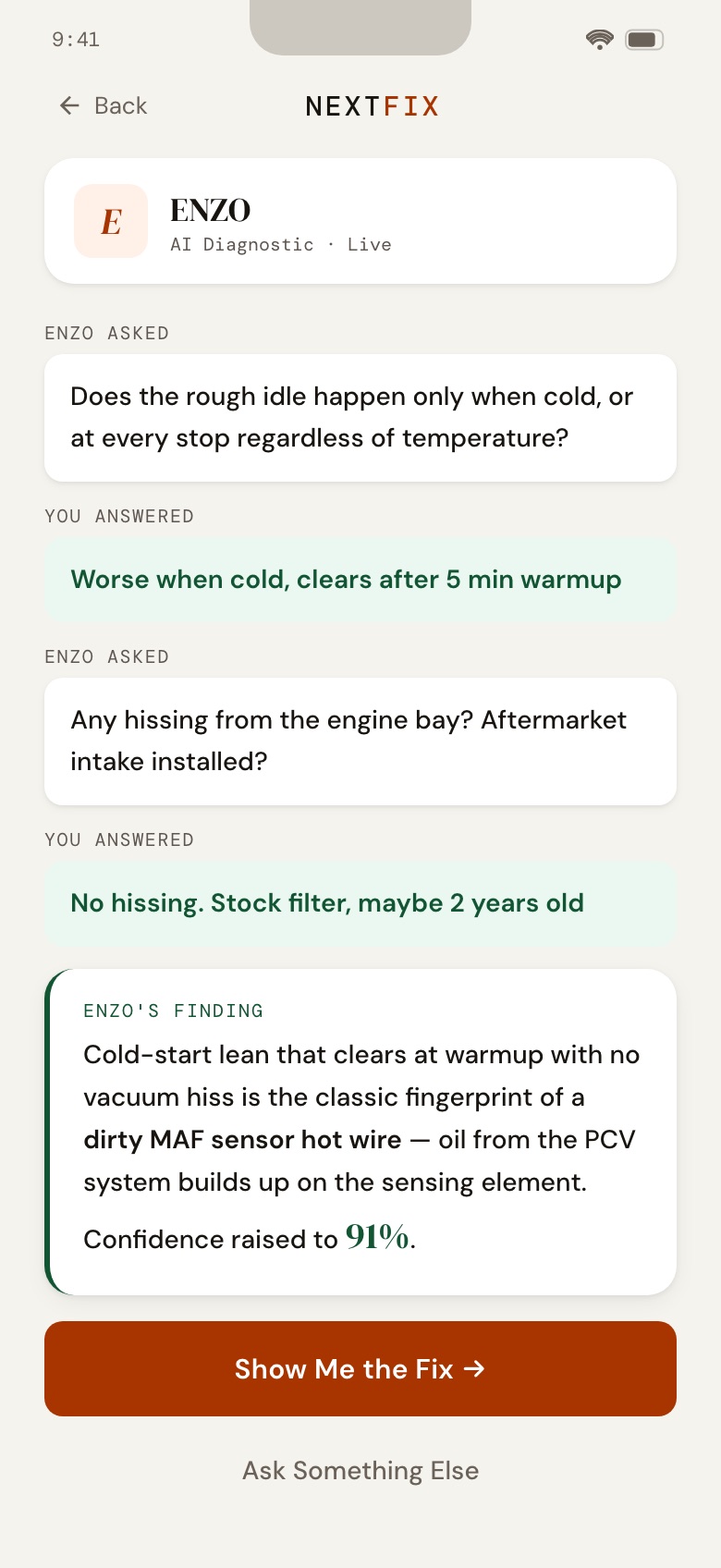
ENZO asks
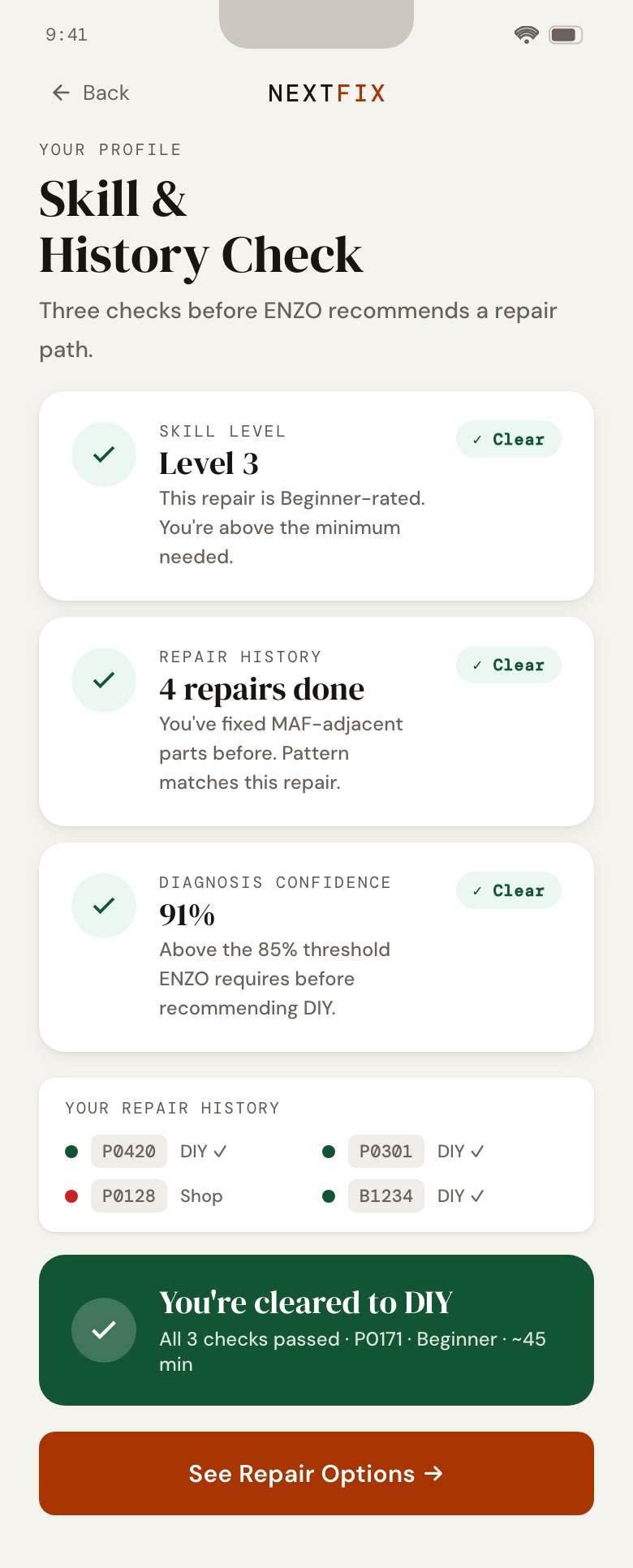
Skill check
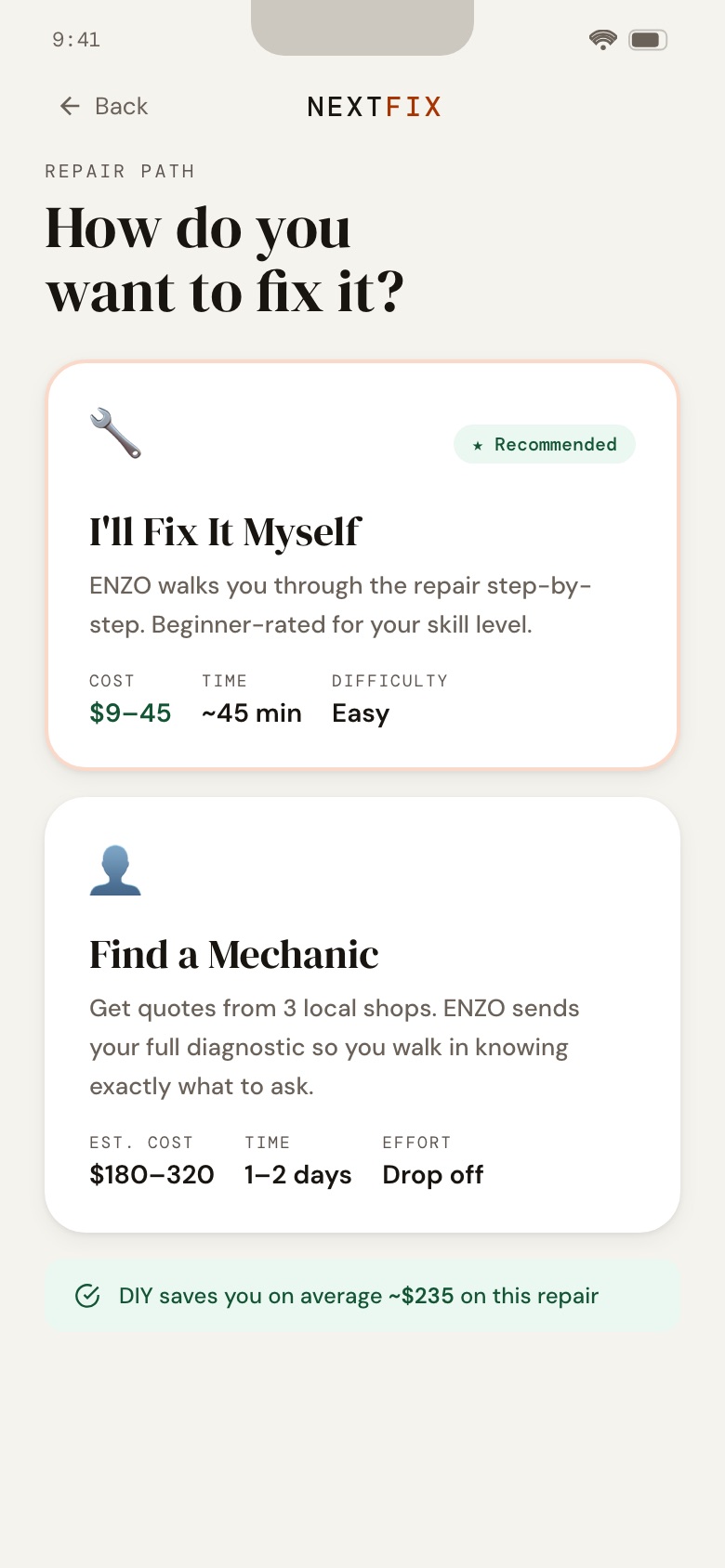
Repair path
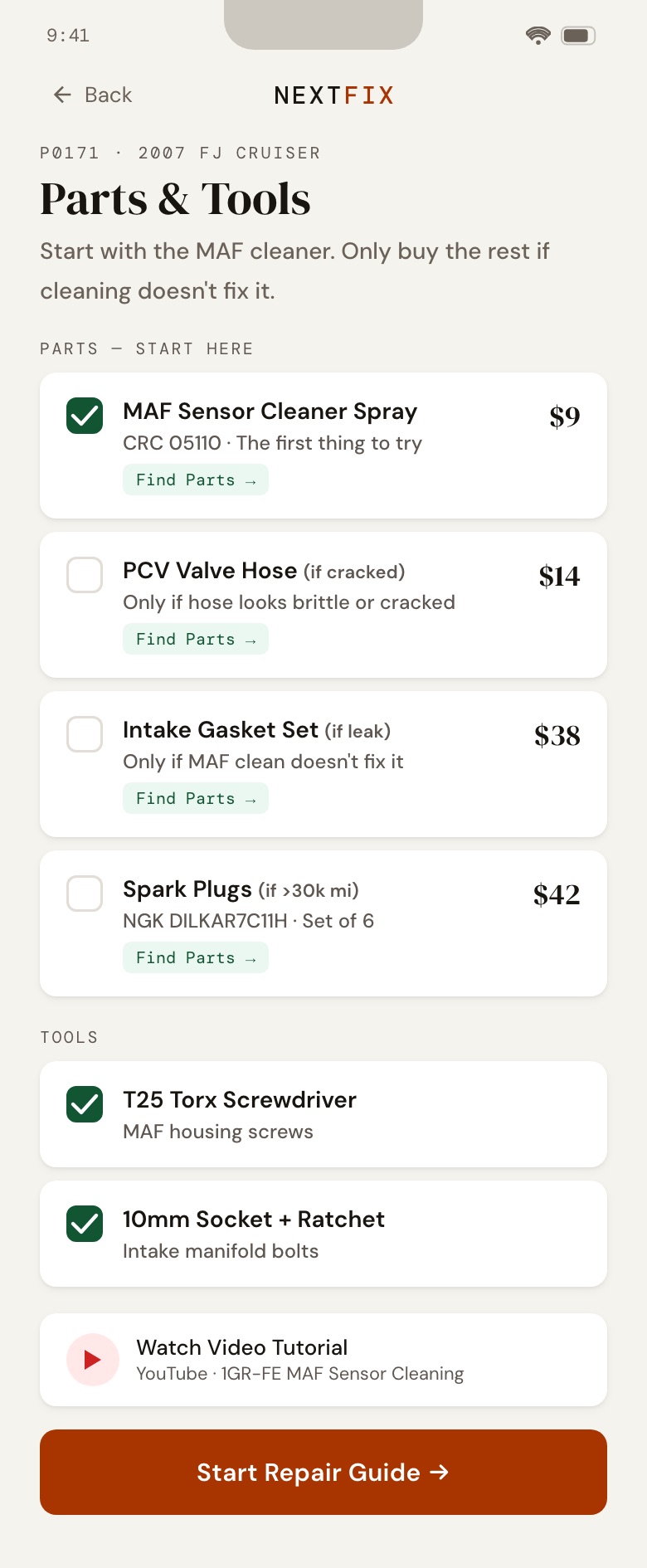
Parts & tools
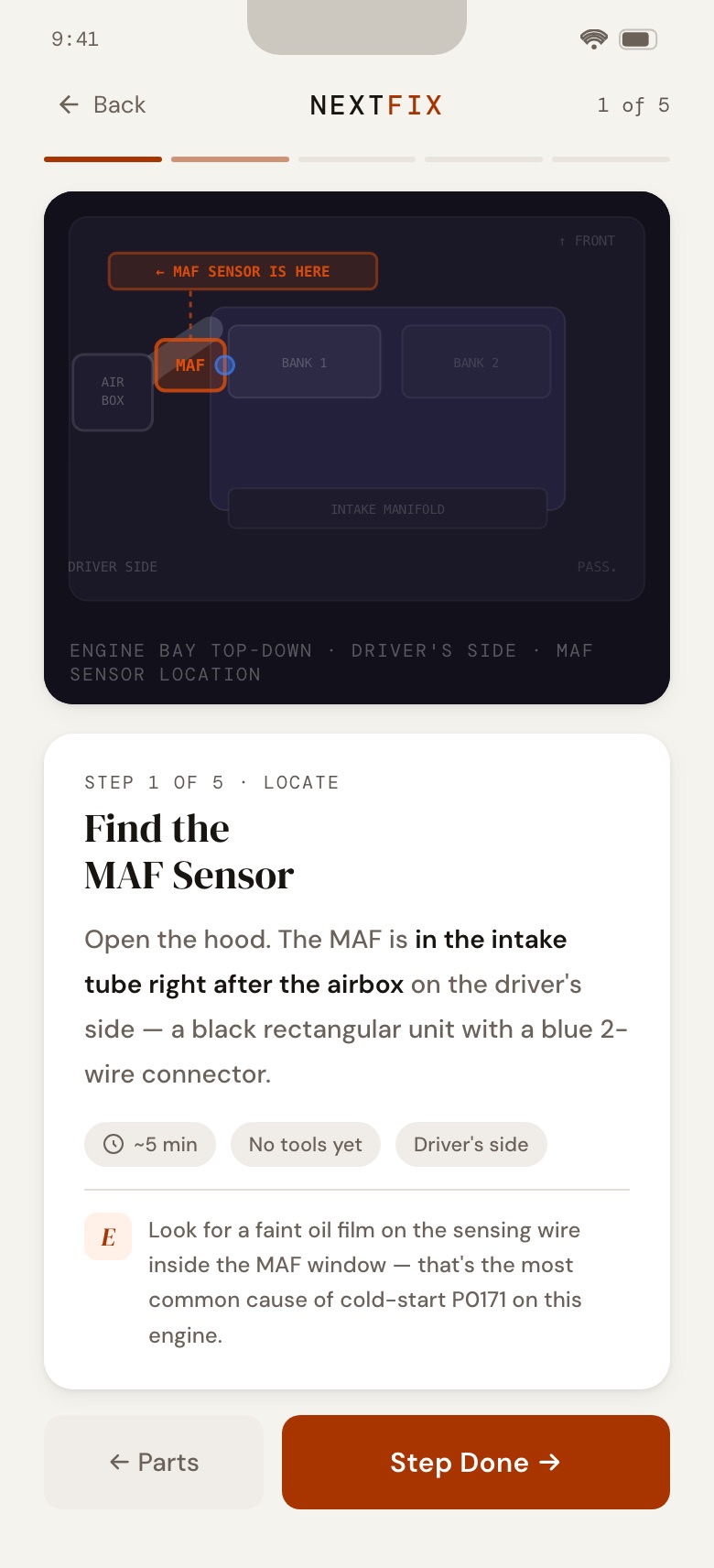
Guide, step 1
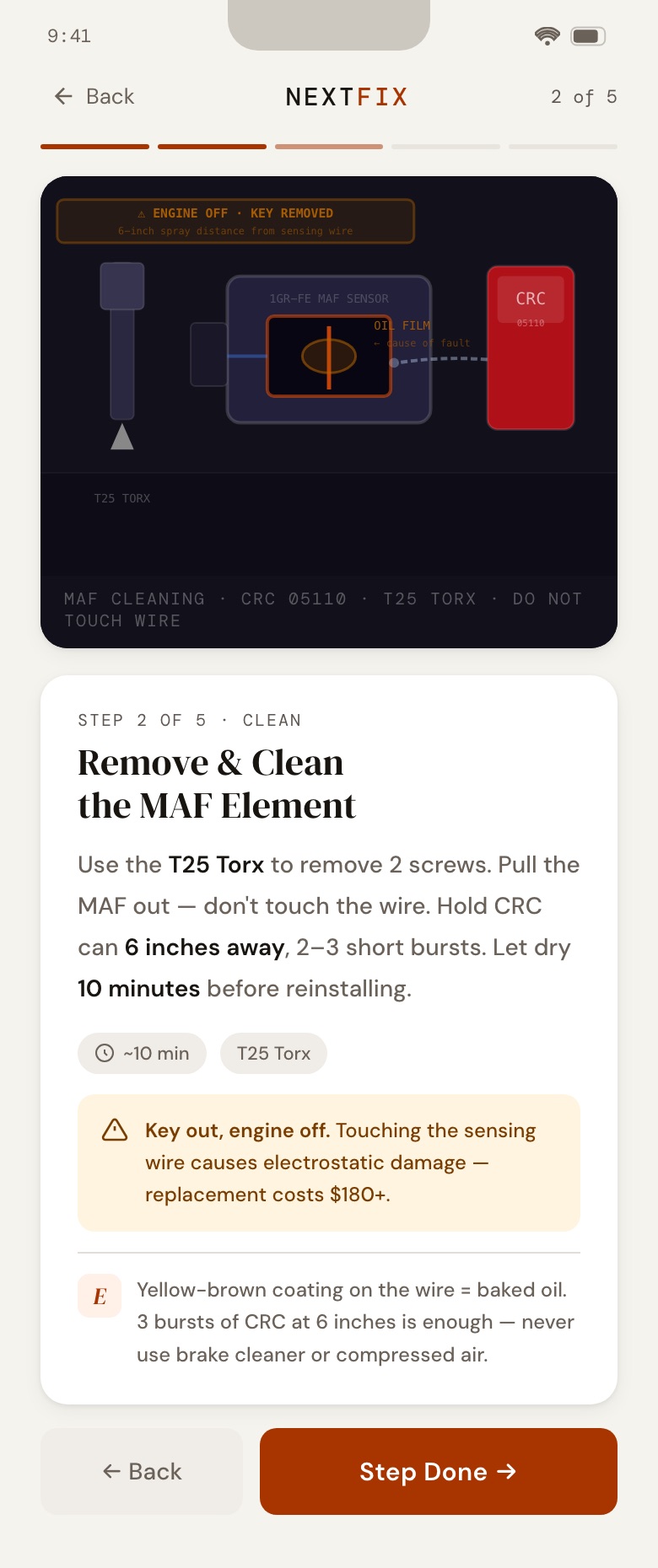
Guide, step 2
Post-repair scan
Level up
Repair timeline
Find a mechanic
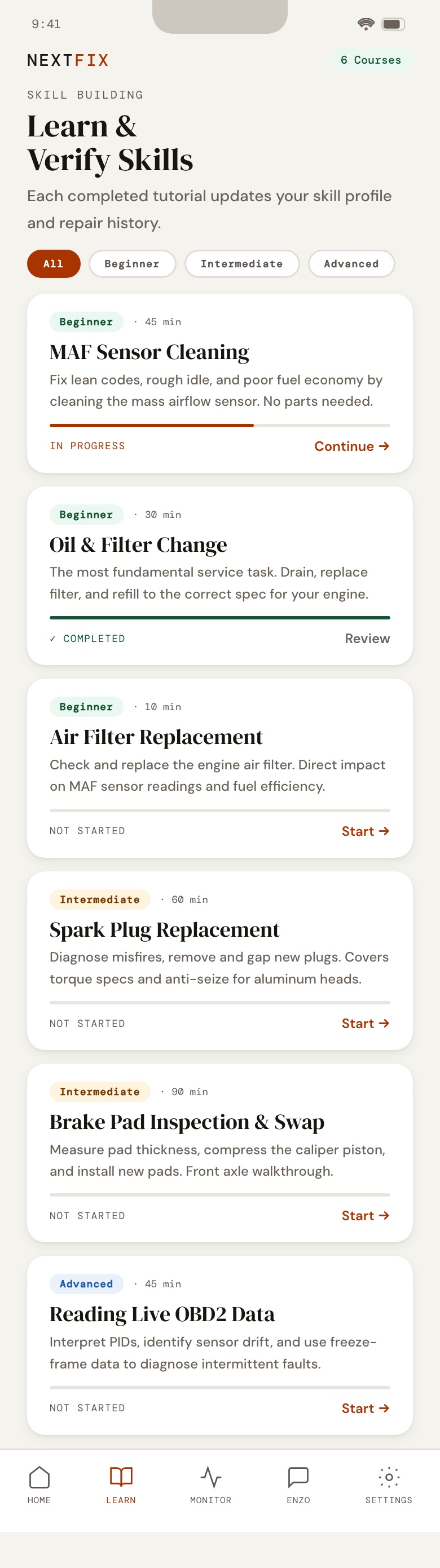
Learn
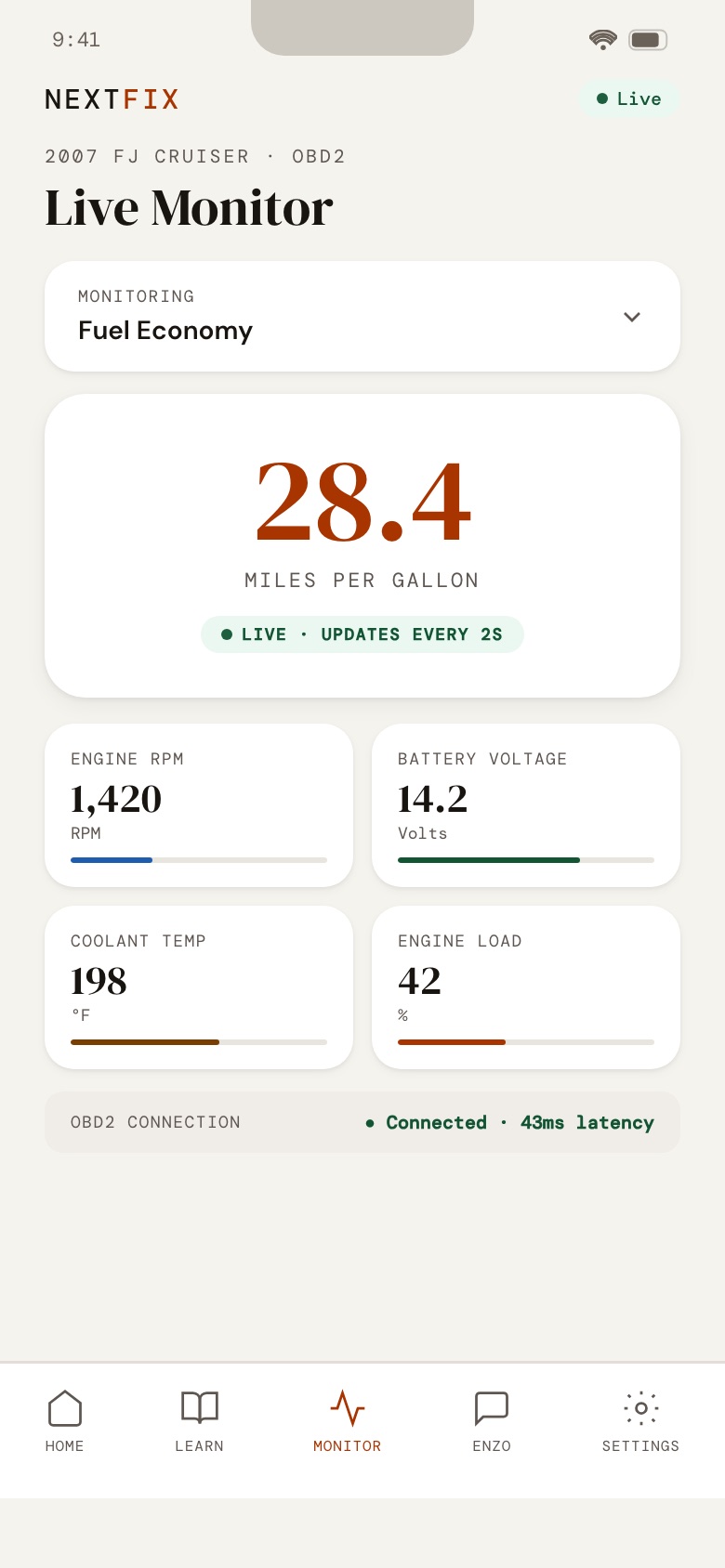
Monitor
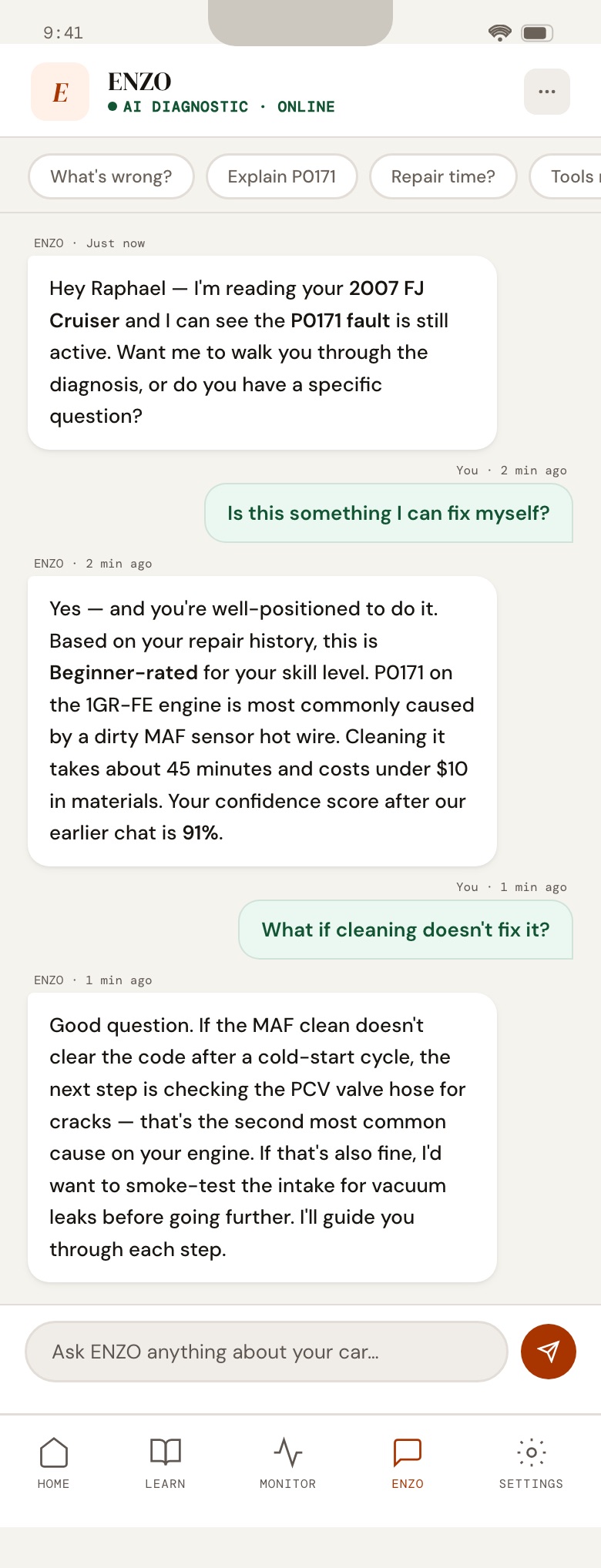
ENZO chat
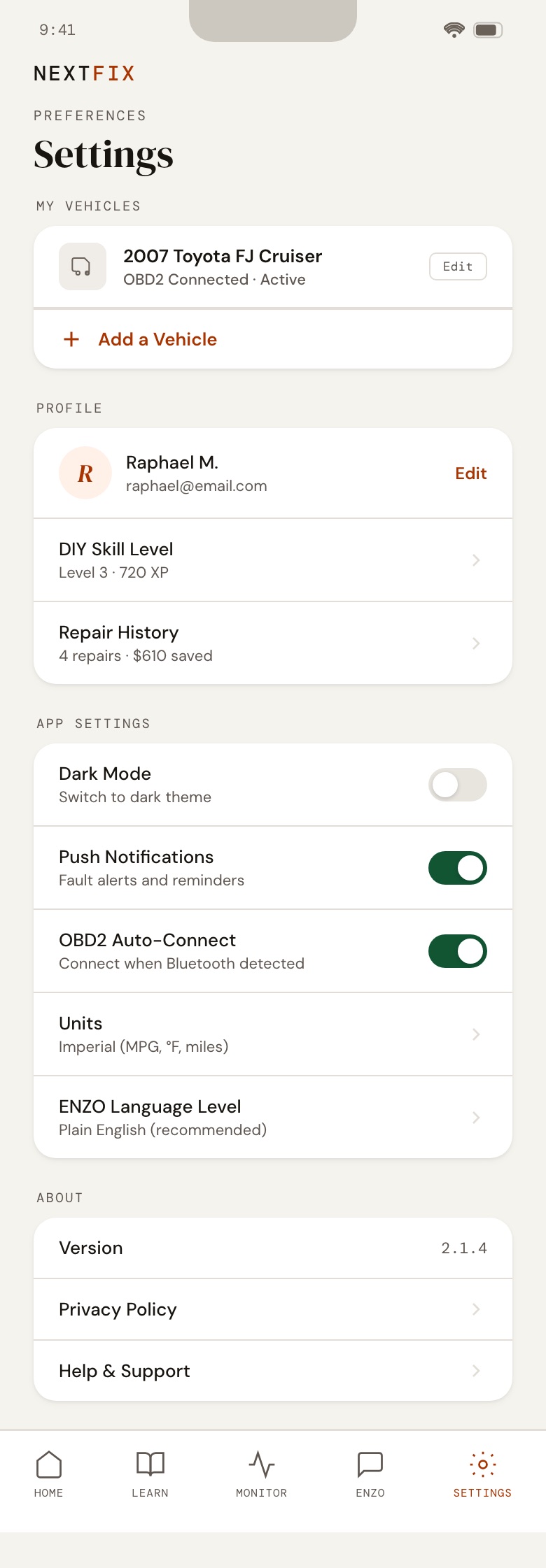
Settings
05 · User flow
How a repair moves through the app.
The flow starts with the plain-language alert on the home screen. ENZO checks its own confidence, the skill check decides whether a DIY repair is safe for this driver, and a post-repair scan closes the loop. If the code is still active, the driver goes back to ENZO instead of guessing.
Built from the prototype: each green box is a screen or action, each diamond a decision.
06 · Prototype
Try it yourself.
This is the working prototype, built with Claude as a single HTML file and used in the user tests. Tap through the full flow: scan, diagnose, skill check, parts, repair guide, and the Learn, Monitor, ENZO and Settings tabs.
INTERACTIVE · Open full screen ↗
07 · Testing
What the drivers told us.
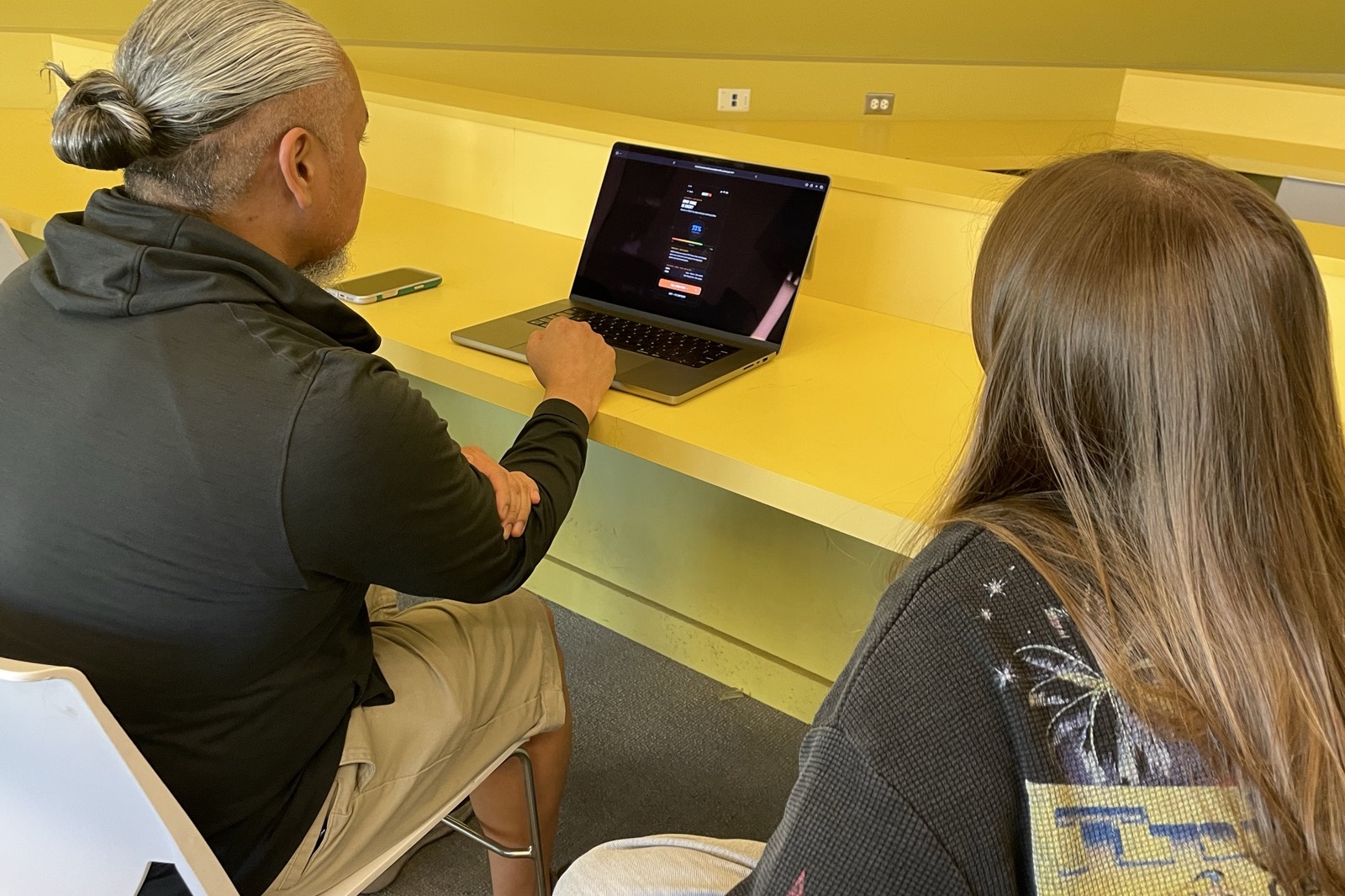
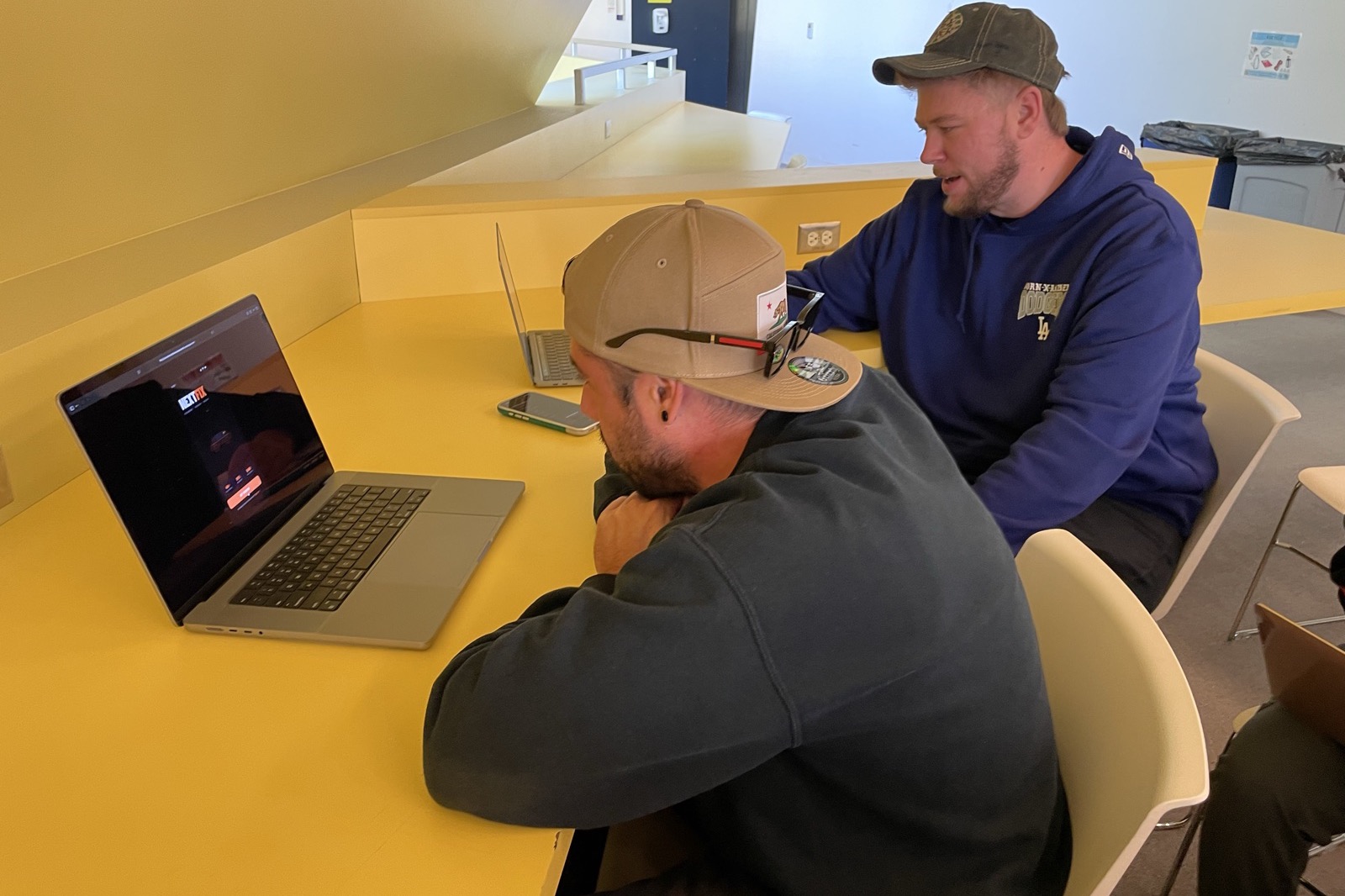
I moderated think-aloud sessions: “you just got a notification that something is wrong with your car; find out what it is and what it means.” Participants ranged from a Mustang and FJ Cruiser enthusiast to someone who likes cars but doesn't repair them.
Worked
- Plain-English explanation and the symptoms list were clear.
- Showing DIY difficulty and money saved was motivating.
- The repair timeline felt like a useful archive.
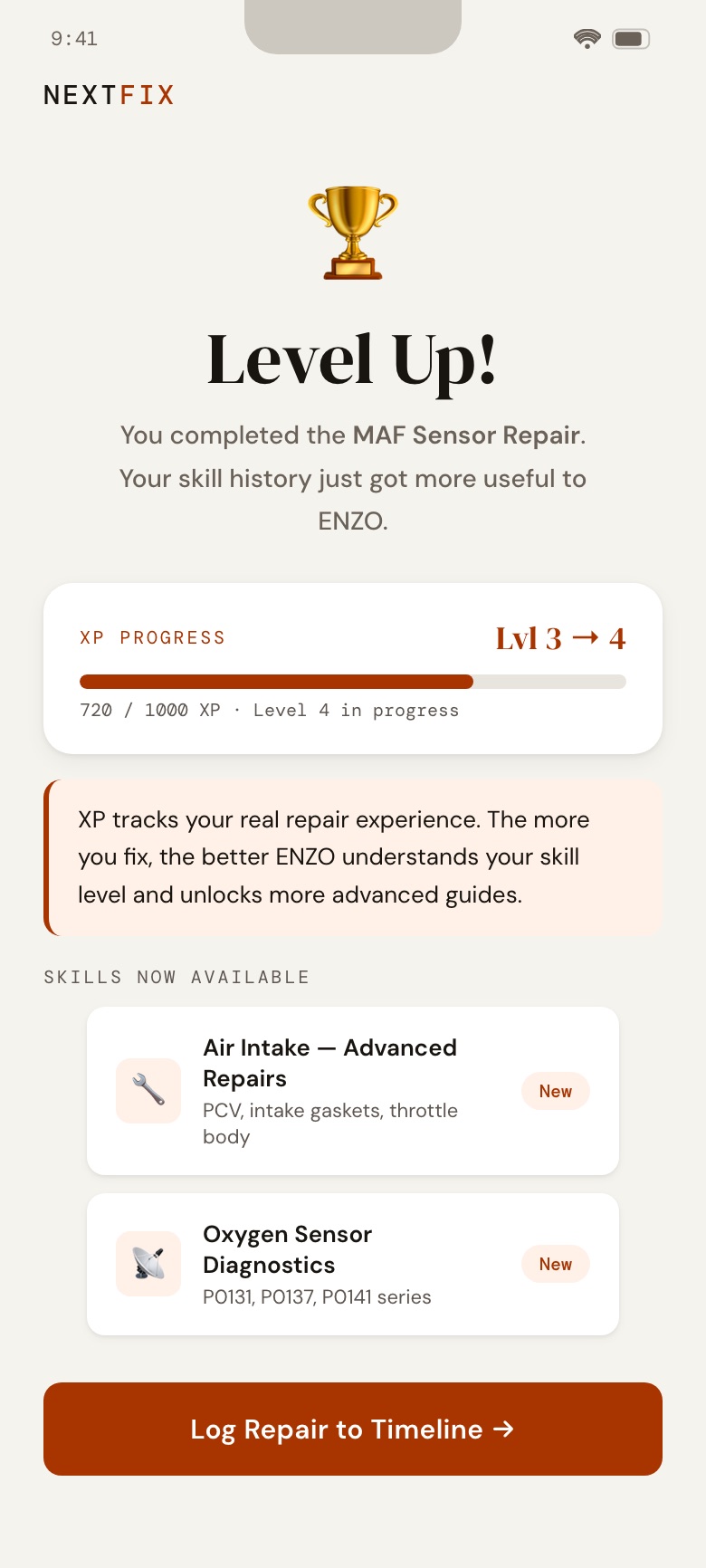
- The XP level made one participant feel they were building knowledge.
Didn't
- Diagrams were too small to read.
- The percentage on the diagnosis was not understood.
- Red felt alarming; “Pro Shop” read as buying parts.
- Part numbers overwhelmed; “Chapters unlocked” confused people.
User tester, Daniel
“I currently have a project car, so I definitely NEED this.”
08 · Changes
Every change traces to a participant.
After four interviews, I synthesized what the participants said and made the prototype answer it, one finding at a time.
- Active code buried
- Julian, Daniel: a bold alert is now the first thing below the vehicle card, and chat with ENZO is one tap from home.
- Diagrams too small
- Raphael, Ian, Isabella: the tutorial diagrams are about 45% taller with larger labels and arrows.
- Red felt alarming
- Raphael, Ian: severity and warnings moved from red to amber.
- Unclear percentage
- Isabella: “62%” became “Most likely cause · 62% of P0171 cases.”
- “Pro Shop” confusion
- Ian, Raphael: renamed to “I'll Fix It Myself” and “Find a Mechanic,” with distinct color fields.
- Part numbers overwhelmed
- Ian, Daniel: the name leads and OEM numbers are small, muted subtext, with a Find button per part.
- “Chapters Unlocked”
- Daniel, Julian: reworded to “Skills Now Available,” with a plain-English note on what XP does.
- Skill check needed context
- Raphael, Daniel: a “why this matters” note, and later a green-light, red-light redesign.
The next rounds went further: a light mode with one primary action per screen, a home alert rewritten in layman's terms as a softer on-ramp to DIY, and a persistent nav bar with Home, Learn, Monitor, ENZO and Settings.
09 · Design system
Color as signal, weight for readability.
The light mode pairs a serif display face for authority with a clean sans for reading. Orange means “this is the problem” or “do this,” green means resolved or savings, and amber means caution. Cards lift with shadow instead of borders, and the secondary choice is always a quiet text button.
- Display
- DM Serif Display, for headlines
- Body
- DM Sans, medium weight for readability
- Code
- DM Mono, for fault codes and labels
10 · Accessibility
Built to WCAG 2.1 AA.
Several text colors failed contrast at small sizes. I recalculated each against its background, darkened the failing ones to pass AA, bumped body and sub-header weights across every screen, and added a visible 3 px focus ring for keyboard users.
| Token | Before | After |
|---|---|---|
| Ink 3 (small text) | #A09890 2.4:1 | #5E5650 5.9:1 |
| Amber (warnings) | #B56400 3.7:1 | #7A3D00 6.9:1 |
| Green (success) | #1A7A48 4.4:1 | #115533 7.4:1 |
| Orange (action) | #E04F0A 3.7:1 | #A83400 5.5:1 |
11 · Micro-interactions
Three small moments that carry the flow.
- Checkbox draw (Parts & Tools)
- The box springs in, scaling 1 → 0.82 → 1.14 → 1 over 320 ms, and the check strokes itself in 80 ms later. It confirms the tap and rewards it.
- Confidence count-up
- The percentage, the bar and the ring animate together from 0 to 73% over 900 ms with an ease-out curve, so the number feels calculated, not stamped.
- Verdict stagger (Skill check)
- Rows enter 130 ms apart, each check draws after its row settles, and the green verdict resolves last, turning a list into a short story.
INTERACTIVE · Replay each one · Open full screen ↗
12 · Next
Test the physical handoff.
Every session tested the digital prototype only. Next: expand research to 15+ structured interviews at AutoZone lots and gas stations, build and test the physical scanner handoff (does the user trust it, understand it and act on it without calling someone first), and grow testing from 5 to 25 people, deliberately recruiting older users.